We need your help testing the translation!
If you see translation errors, please write to us on the forum about them.
If you see translation errors, please write to us on the forum about them.
Print results in PDF
Deprecated!Since version 1.2, you can download results in PDF.
If we want to save the protocol to a folder on our computer, we also click the "Print" button in the upper right corner above the table:
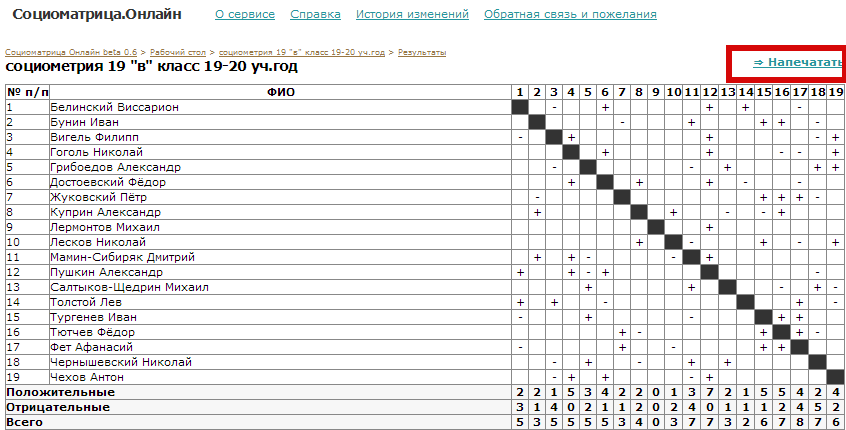
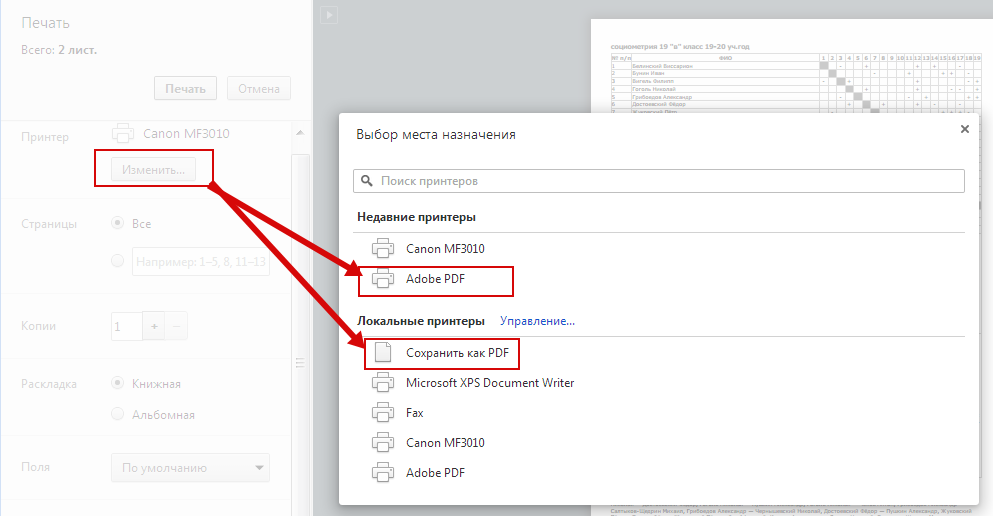
Under Printer, click the "Change" button and select "Adobe PDF" or "Save as PDF."
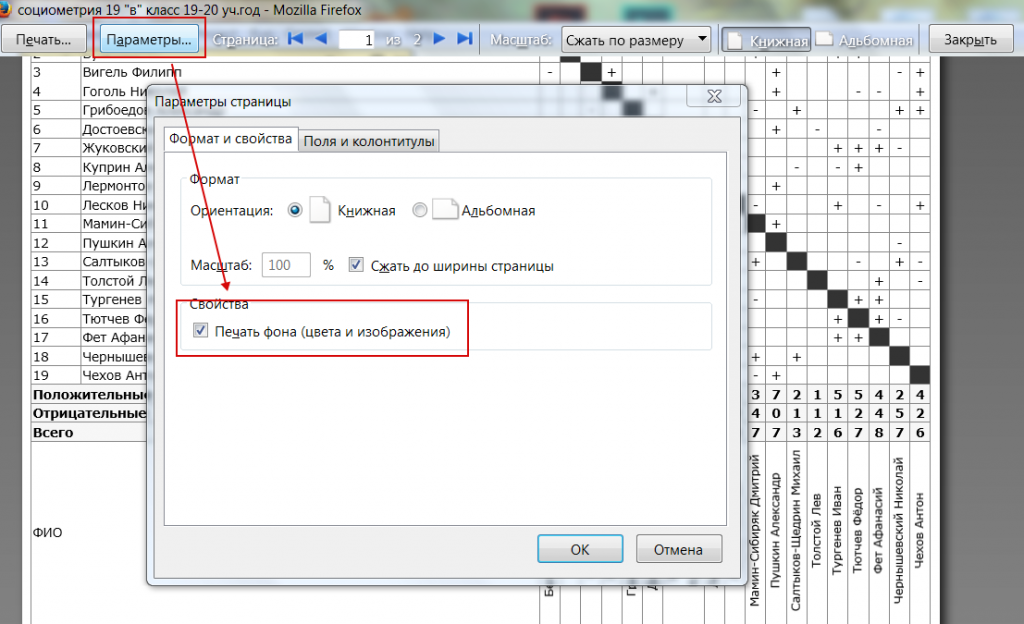
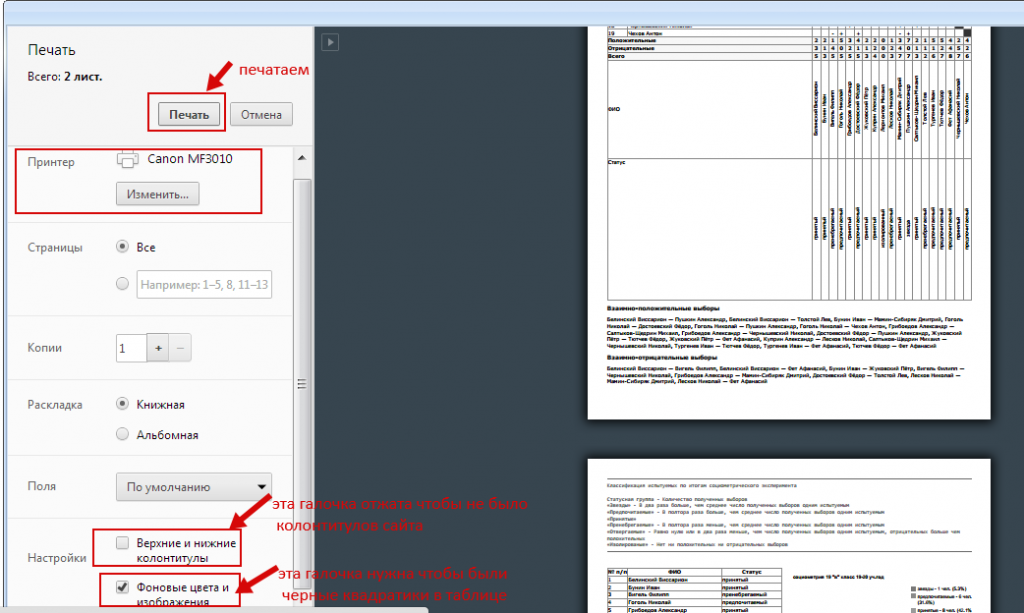
Pay attention to the "Background colors and images" and "Headers and footers" checkboxes (in this case, your printer must be Adobe PDF):
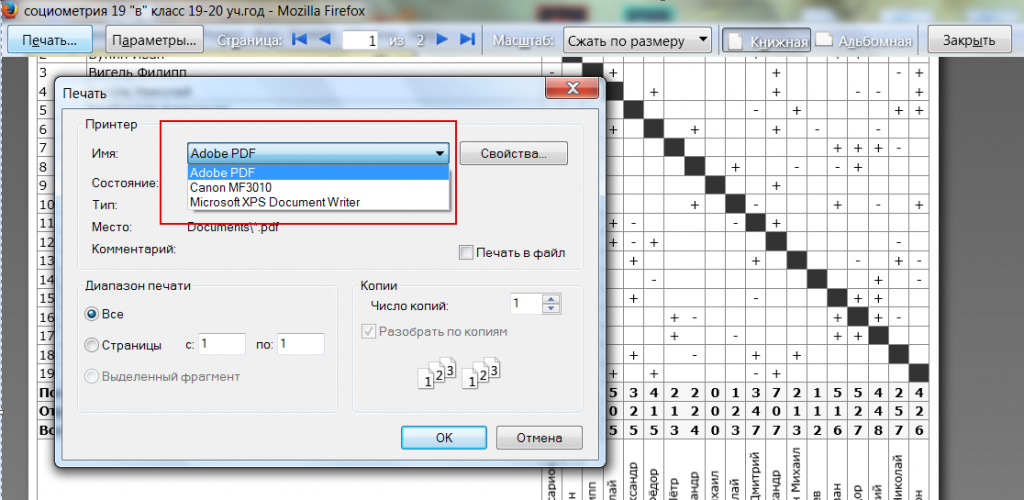
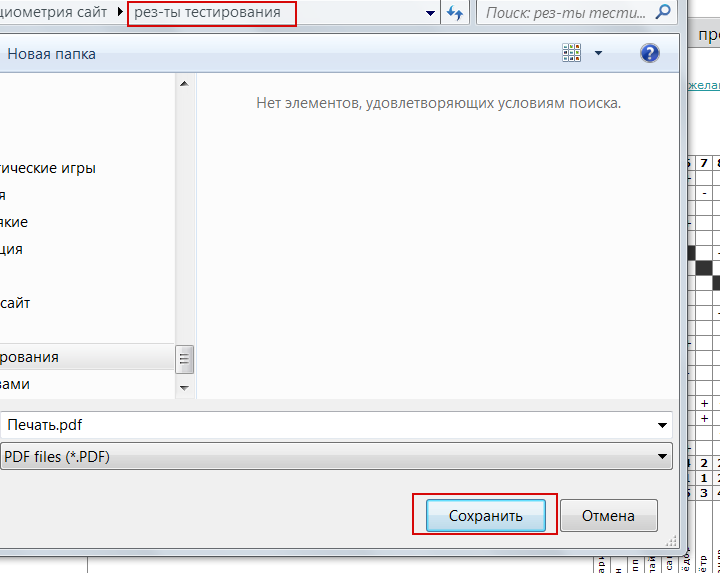
Click "Print" and select the desired folder, "save."
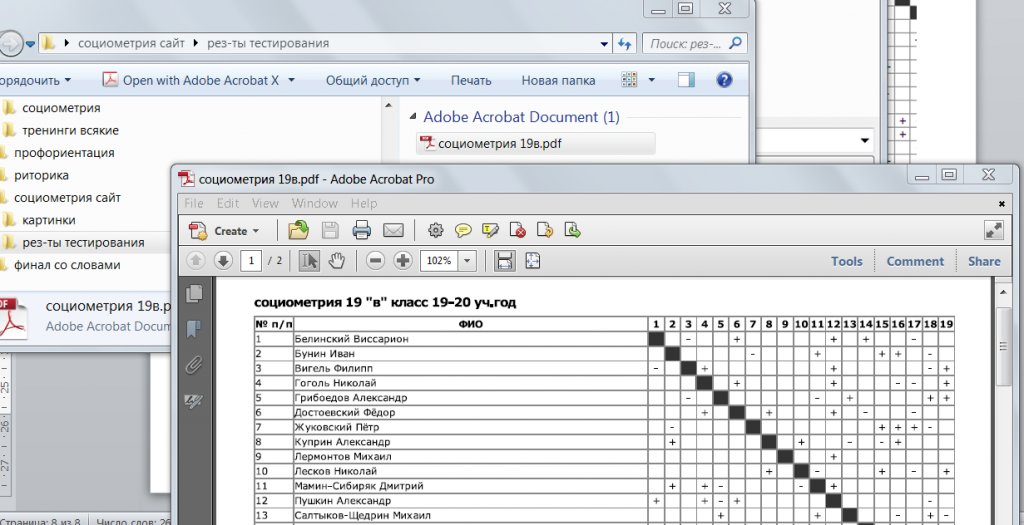
Done! The result was saved as a PDF file:
Other browsers do the same.
I'll give an example for Mozilla Firefox. On the results page, select File - Preview in the browser menu, and then follow the same steps: